Google Drive 存储
要把备份保存到 Google Drive,需要先创建一个 Google Cloud 项目来访问 Google Drive API,然后用你的 Google 账号登录。
重要:连接 Google Drive 要求你的 Databasus 实例通过 HTTPS 运行。关于配置 HTTPS 的更多信息,请参考 Caddy 反向代理配置指南 →
本指南假设你的 Databasus 实例运行在 databasus.yourdomain.com。
创建 Google Cloud 项目
1. 创建新项目
打开 https://console.cloud.google.com/ 并选择 "new project"(左上角)。
2. 启用 Google Drive API
进入 "API & Services" 标签页,打开 "API library",选择 Google Drive API 并启用:

3. 配置同意屏幕
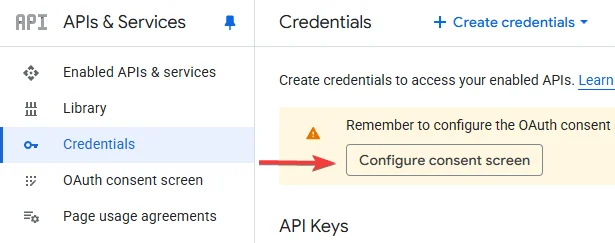
进入 "Credentials" → "Create credentials" → "Configure consent screen" 并填写相应信息:
4. 创建 OAuth 客户端 ID
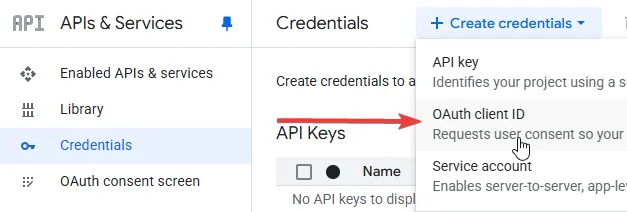
进入 "Credentials" → "Create credentials" → "OAuth client ID":
5. 配置应用设置
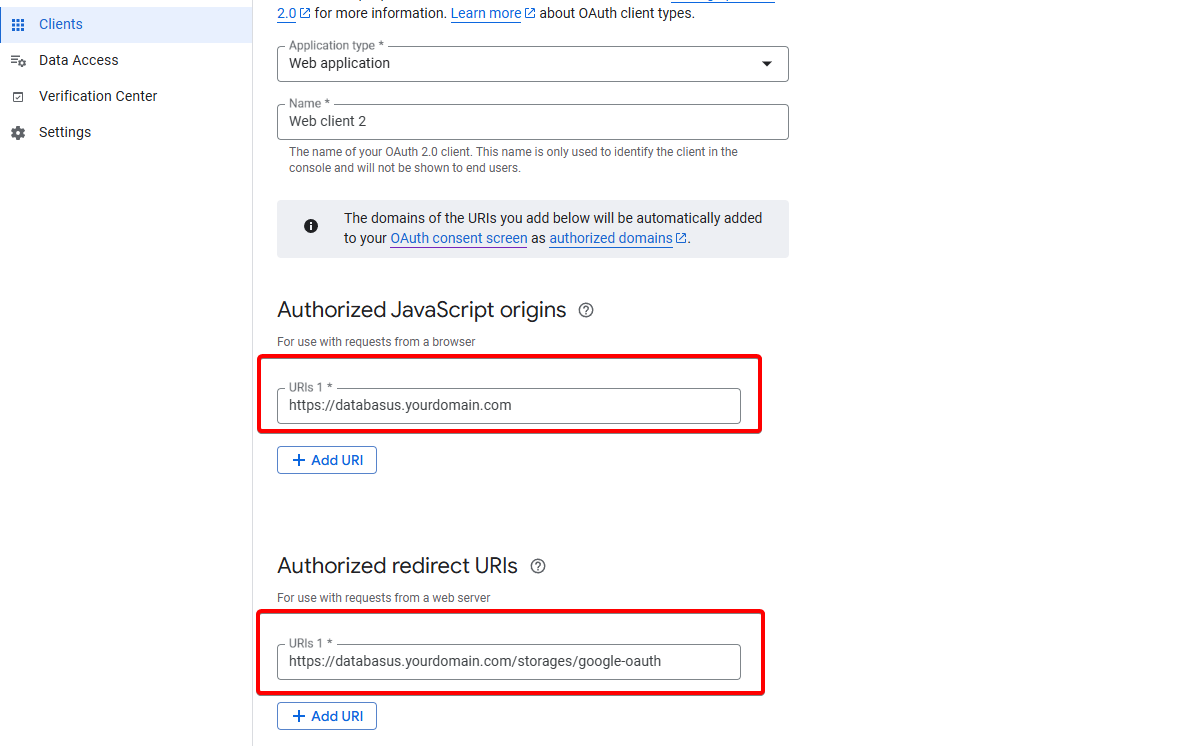
填写以下信息:
- Application type:Web application
- Authorized JavaScript origins:
https://databasus.yourdomain.com - Authorized redirect URIs:
https://databasus.yourdomain.com/storages/google-oauth
注意:把 databasus.yourdomain.com 替换成你实际部署 Databasus 的域名(例如 backup.example.com)。
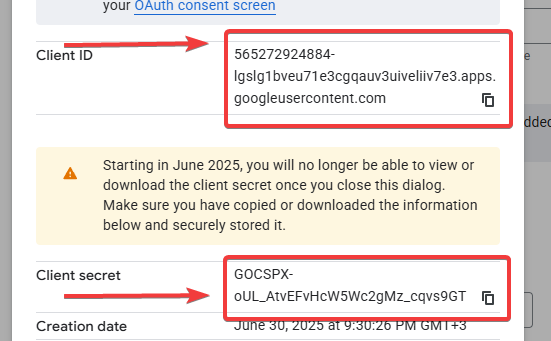
然后复制凭据:
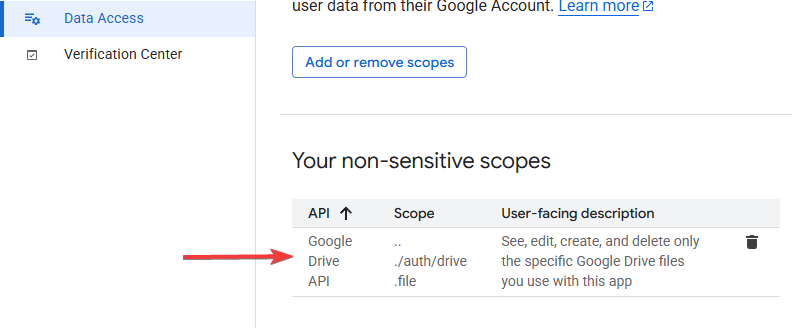
6. 添加权限范围
进入 "Data Access" 并添加权限范围 "/auth/drive.file":
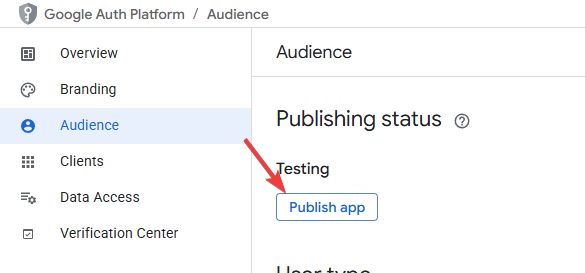
7. 发布应用
进入 "Audience" 并发布应用:
使用 Google 账号登录
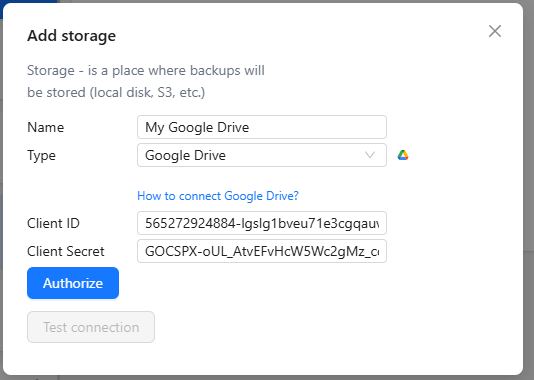
1. 填写凭据
把前面步骤中获取的凭据填入 Databasus:
2. 选择账号
选择你的 Google 账号完成登录。
3. 处理安全警告
如果出现警告,点击 "Advanced"(左下角),然后选择 "Proceed anyway"。
注意:出现这个警告是因为你的应用还没有 通过 Google 的验证。对于你自己的应用,继续操作是安全的。
大功告成!你的 Google Drive 已经连接到 Databasus,可以 开始存放 PostgreSQL 备份了。