Frequently Asked Questions
Find answers to the most common questions about Databasus, including installation, configuration and backup strategies.
Why does Databasus not use raw SQL dump format for logical PostgreSQL backups?
For logical backups, Databasus uses pg_dump's custom format with zstd compression at level 5 instead of the plain SQL format because it provides the most efficient balance between:
- Backup creation speed
- Restore speed
- File size compression (up to 20x times smaller than plain SQL format)
This decision was made after extensive testing and benchmarking of different PostgreSQL backup formats and compression methods. You can read more about testing here PostgreSQL backups: comparing pg_dump speed in different formats and with different compression.
Databasus will not include raw SQL dump format, because:
- extra variety is bad for UX;
- makes it harder to support the code;
- current dump format is suitable for 99% of the cases
Where is Databasus installed if installed via .sh script?
Databasus is installed in /opt/databasus/ directory.
How do physical and PITR (Point-in-Time Recovery) backups work?
Databasus runs physical backups remotely from its own host, connecting to your PostgreSQL over the standard replication protocol, so nothing needs to be installed on the database server. If the database lives in a closed network, Databasus can reach it through an SSH tunnel to an internal host or a bastion, so the database never has to be exposed publicly.
Why this is possible now: for years tools like pgBackRest and WAL-G had to build their own engines for incremental, block-level backups, because PostgreSQL had no native one. That changed with PostgreSQL 17, where the feature was developed by Robert Haas with help from David Steele, the author of pgBackRest. PostgreSQL now ships native server-side block-level incremental backups under the hood (pg_basebackup --incremental and summarize_wal), so Databasus builds on that instead of reinventing one.
How backups work:
- Full backups are created with
pg_basebackup, streamed directly to Databasus - Block-level incrementals use
pg_basebackup --incremental, where PostgreSQL 17's server-side WAL summaries (summarize_wal = on) track changes so only the changed blocks are transferred - WAL is streamed continuously via
pg_receivewalto keep the recovery chain complete between backups - Physical backups require PostgreSQL 17 or newer; on older versions you use logical
pg_dumpbackups instead
How restoration works:
pg_combinebackupreconstructs a runnable data directory from the full backup and its incremental chain- PostgreSQL then replays WAL up to the target time you choose, recovering to any second between backups
- Once you start PostgreSQL, it finishes recovery, promotes to primary and resumes normal operations
You don't have to do this by hand. The Databasus UI gives you step-by-step instructions for restoring to a host or a Docker database, either through a ready-made script or by downloading the backups manually. We prepared the script so a restore is just one command, but you can also rebuild the chain of full, incremental and WAL parts yourself if you prefer. Incremental and WAL are optional too: you can take only a full backup, without incrementals, and WAL is not mandatory.
Why we use PG 17 native backups:
- They reuse PostgreSQL's own backup machinery instead of reinventing it, so you get battle-tested internals with thousands of tests and edge-cases behind them
- They work with remote databases, including managed services like Amazon RDS and Google Cloud SQL that expose the replication protocol but forbid installing software on the host
- They give near-zero data loss, letting you restore to any second between backups
Why did Databasus move away from agent-based backups?
An earlier version of Databasus shipped a backup agent: a binary that ran on the database host to stream WAL and create physical backups locally. That first implementation turned out to be a mistake, and we removed it. Physical backups now run remotely from the Databasus host, as described above.
Why the agent was the wrong approach:
- It was a naive implementation that only copied WAL on top of full backups, which led to a long RTO
- Users had to configure both Databasus and a separate agent, when doing everything remotely from one place is far simpler
- Because the agent lived outside the main system, it was hard to cover every test case
- There is really only one problem an agent solves: reaching a database that is not accessible from outside. For 99% of users that is already handled by running Databasus inside the private network or connecting over SSH, so the agent was reinventing the wheel and making a simple problem far more complicated than it needed to be
- It could not run on managed databases like RDS and Cloud SQL, which forbid host-level installs but already expose the replication protocol, so a remote path was needed anyway
- It also came with a lot of edge cases. Broken connections, managing agent updates and gathering logs from a separate process were all painful, and the fewer moving parts a system has, the more reliable it is in everyday use
We made sure existing backups stay safe. If you upgrade from a version that still has agent backups, Databasus won't do it silently: it warns you about the change and lets you either stay on the supported version 3.42.0 or remove the old agent backups yourself before upgrading. The agent-based implementation remains available up to version 3.42.0 and will keep working for a long time, so nothing breaks.
You can read the full reasoning in the architecture decision records: ADR-0008: PG17-native backups with mandatory WAL summary and ADR-0009: remote physical backups instead of agents.
How is AI used in Databasus development?
There have been questions about AI usage in project development in issues and discussions. As the project focuses on security, reliability and production usage, it's important to explain how AI is used in the development process.
AI is used as a helper for:
- Verification of code quality and searching for vulnerabilities
- Cleaning up and improving documentation, comments and code
- Assistance during development
- Double-checking PRs and commits after human review
AI is NOT used for:
- Writing entire code
- "Vibe code" approach
- Code without line-by-line verification by a human
- Code without tests
The project has:
- Solid test coverage (both unit and integration tests)
- CI/CD pipeline automation with tests and linting to ensure code quality
- Verification by experienced developers with experience in large and secure projects
So AI is just an assistant and a tool for developers to increase productivity and ensure code quality. The work is done by developers.
Moreover, it's important to note that we do not differentiate between bad human code and AI vibe code. There are strict requirements for any code to be merged to keep the codebase maintainable.
Even if code is written manually by a human, it's not guaranteed to be merged. Vibe code is not allowed at all and all such PRs are rejected by default (see contributing guide).
We also draw attention to fast issue resolution and security vulnerability reporting.
How to backup Databasus itself?
If you want to backup your Databasus instance (including all configurations, databases and credentials), follow these steps:
- Go to
/opt/databasus(or the folder where you installed Databasus) - Navigate to the
databasus-datadirectory
You need to backup:
secret.key— encryption key for your credentials/pgdata— internal PostgreSQL database of Databasus that contains all your configurations and backup metadata
If you use local storage for backups, you can also backup the backups folder.
Important: There are two different scenarios for recovery:
- Recover backups without Databasus UI: You can recover your database backups using only the
secret.keyfile, without needing Databasus or its internal data. See the manual recovery guide for detailed instructions. - Restore Databasus UI and all configurations: If you want to restore the Databasus interface with all your configurations, scheduled backups and backup history, you need to backup both
secret.keyand the/pgdatafolder (which contains the encryption metadata and all Databasus configurations).
To restore Databasus on another server: simply recreate the databasus-data folder structure with the backed up files and start Databasus.
How is Databasus supported by Anthropic and OpenAI open-source programs?
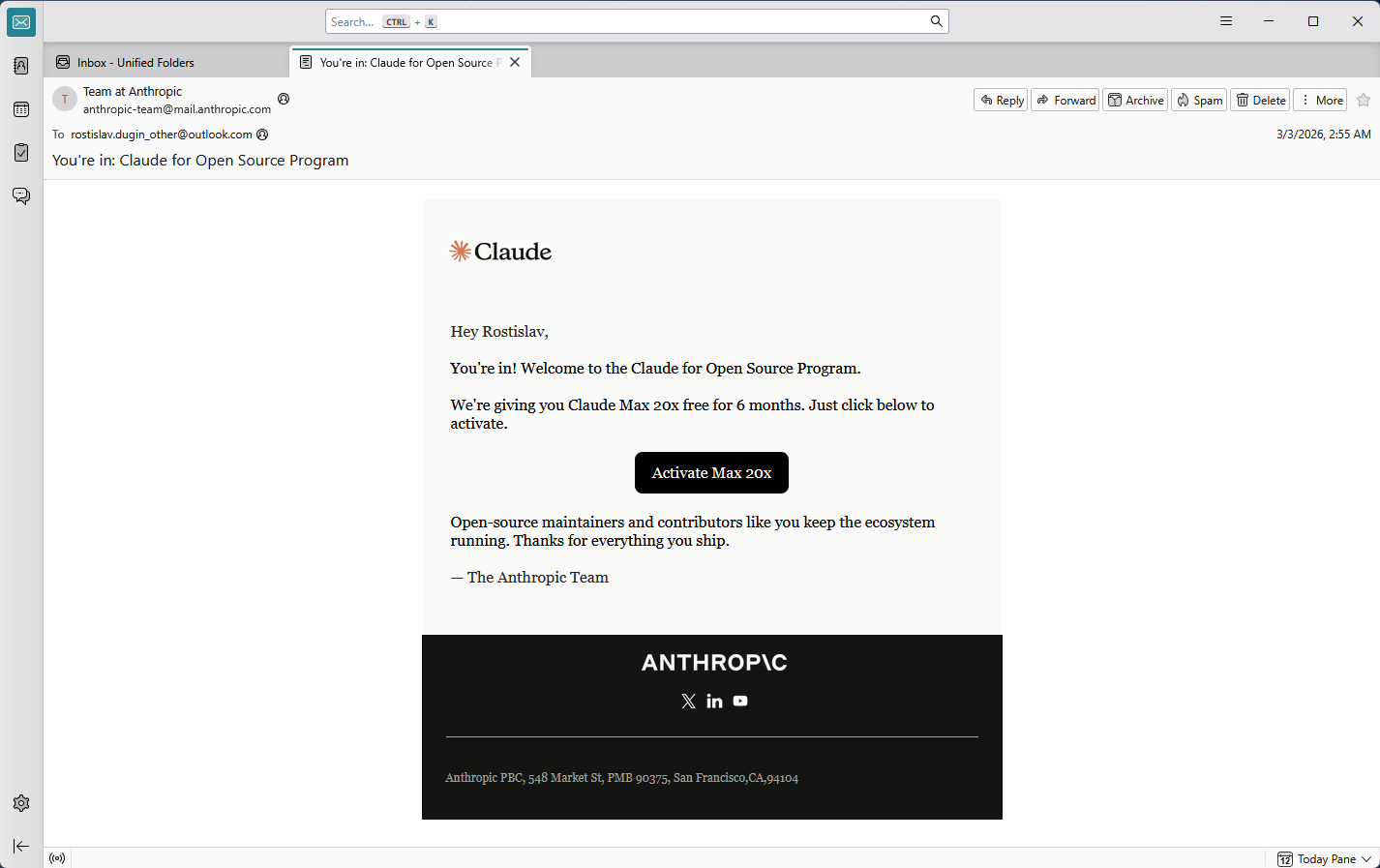
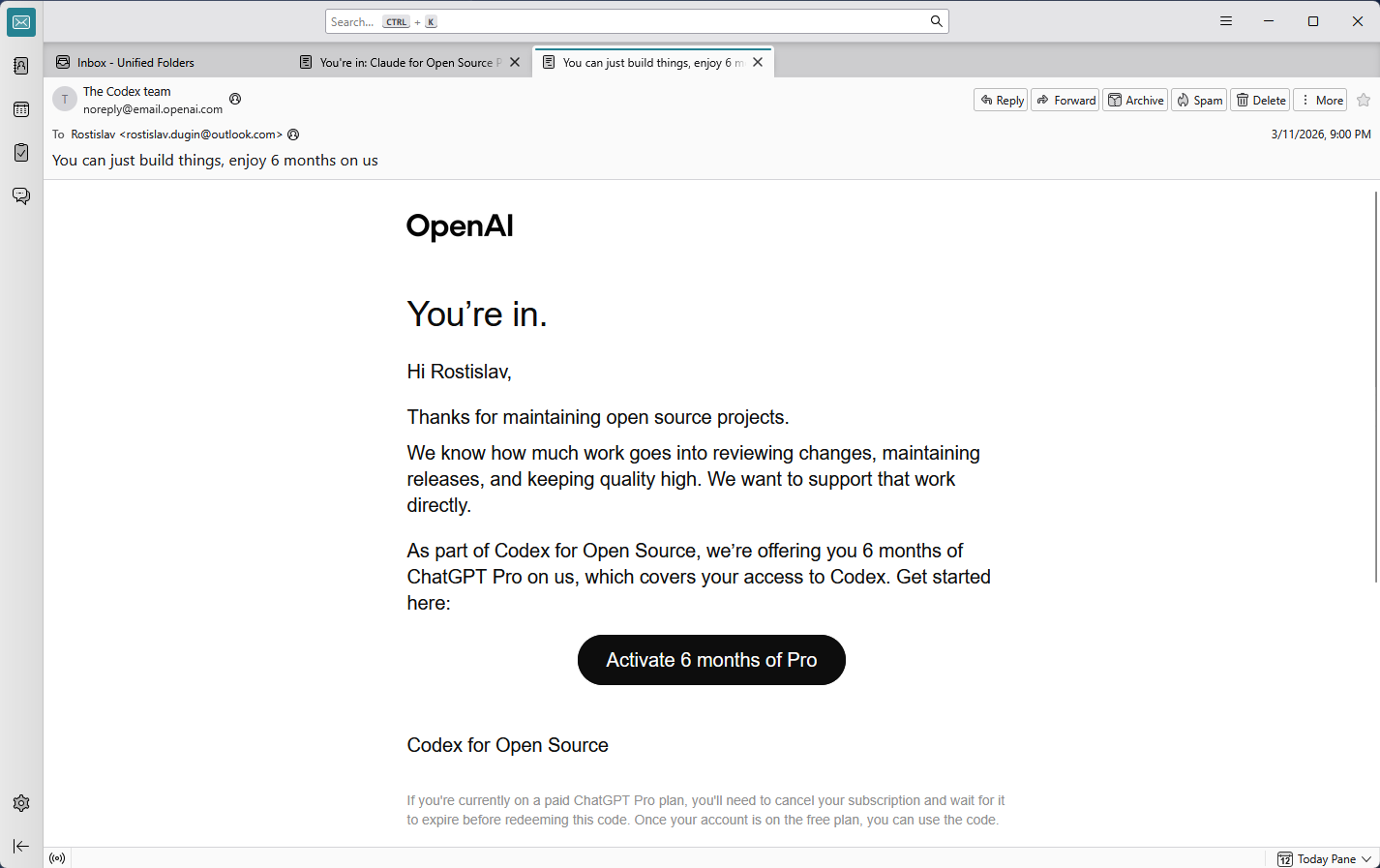
In March 2026, Databasus was accepted into both Claude for Open Source by Anthropic and Codex for Open Source by OpenAI. It is really valuable for us that the project has been recognized as important open-source software for the industry by two of the world's leading AI companies — especially given the high eligibility requirements of both programs.
What does it mean for users? It just one more reliability confirmation that the project has been independently evaluated and recognized by industry leaders as critical infrastructure worth supporting. So we have even higher code quality, faster security reviews and continued active development due to access to the latest unlimited AIs.
Despite having access to these programs, Databasus maintains strict AI usage rules as described in the AI usage section. All code requires line-by-line human verification, full test coverage and experienced developer review. Vibe coding is not allowed. AI remains a tool for developers — not a replacement for human judgment.