1
What is Databasus and how does it backup MongoDB databases?
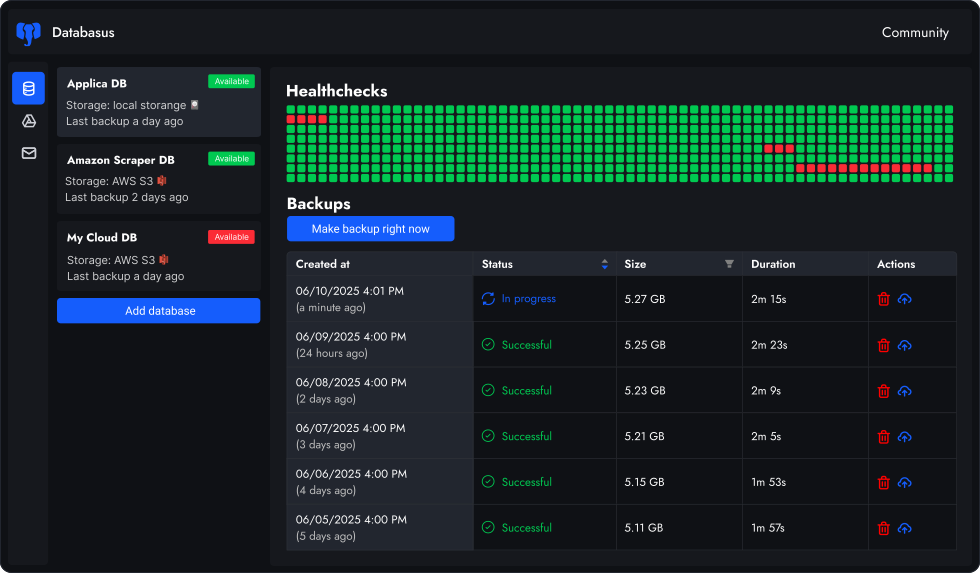
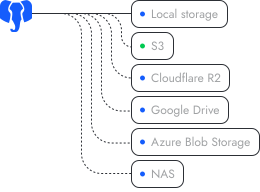
Databasus is an Apache 2.0 licensed, self-hosted backup tool that uses mongodump under the hood to create consistent MongoDB backups. It wraps mongodump with a modern web interface, automated scheduling, cloud storage integration (S3, Google Drive, Dropbox), real-time notifications (Slack, Discord, Telegram) and AES-256-GCM encryption — eliminating the need for custom shell scripts and cron jobs.
2
Does Databasus support MongoDB replica sets?
Yes, Databasus fully supports MongoDB replica sets. You can connect to any member of a replica set using the standard MongoDB connection URI format with replica set options. Databasus will read from the specified node, allowing you to backup from secondary nodes to reduce load on your primary. This is particularly useful for production environments where you want to avoid impacting primary node performance.
3
Can I backup MongoDB Atlas databases with Databasus?
Yes, Databasus works seamlessly with MongoDB Atlas. Since Databasus uses logical backups via mongodump, it only requires standard MongoDB connection credentials — no special Atlas permissions, IP whitelisting beyond your Databasus server, or administrative roles needed. Just provide your Atlas connection string (available in the Atlas dashboard) and Databasus handles the rest.
4
Which MongoDB versions does Databasus support?
Databasus supports MongoDB versions 4, 5, 6, 7 and 8. All backups use the native mongodump tool with --archive and --gzip flags for efficient, compressed BSON archives. The archives can be restored using mongorestore to any compatible MongoDB version, making migrations between versions straightforward.
5
How does Databasus handle large MongoDB collections?
Databasus streams mongodump output directly to your storage destination, optionally encrypting the stream in transit. This approach avoids writing temporary files to disk, making it efficient for databases with large collections. The --archive flag creates a single compressed file rather than a directory structure, reducing I/O overhead and simplifying storage management.
6
Can I backup sharded MongoDB clusters with Databasus?
Databasus currently focuses on backing up individual MongoDB databases rather than coordinated sharded cluster backups.
For sharded clusters, you can:
• Backup each shard individually by connecting to shard replica sets
• Backup via a mongos router (though this may impact performance)
For production sharded clusters, consider MongoDB Atlas native backups or mongodump with --oplog for point-in-time consistency across shards.
7
How does Databasus secure MongoDB credentials and backups?
Databasus implements multi-layer security:
1. Credential encryption: All MongoDB connection URIs, passwords and authentication details are encrypted with AES-256-GCM before storage.
2. Backup encryption: Each BSON archive is encrypted with a unique key derived from master key, backup ID and random salt.
3. Secure credential handling: Connection URIs are passed directly to mongodump via secure parameters, never exposed in logs or process listings.
8
Does Databasus support incremental MongoDB backups or oplog tailing?
Databasus focuses on full logical backups using mongodump rather than incremental backups or oplog-based point-in-time recovery. For most use cases, scheduled full backups (hourly, daily, weekly) provide sufficient recovery points without the complexity of oplog management. MongoDB Atlas already offers native continuous backups with point-in-time recovery, and external incremental backups cannot be easily restored to Atlas clusters.
9
Can I restore MongoDB backups to a different version or cluster?
Yes, since Databasus creates standard mongodump archives in BSON format, you can restore them to any compatible MongoDB server — different version, different cloud provider or local development machine. Download the backup from Databasus (automatically decrypted), then use mongorestore with --archive and --gzip flags. Databasus shows the exact restore command for each backup.
10
How does mongodump compression work in Databasus?
Databasus uses mongodump's built-in --gzip flag which compresses BSON data during the dump process. This typically reduces archive size by 60-80% compared to uncompressed BSON. The compression happens in the mongodump stream before optional encryption, so both compressed and encrypted archives remain efficient. Decompression is automatic when using mongorestore with the --gzip flag.
11
Can I backup specific MongoDB collections instead of entire databases?
Currently, Databasus backs up entire MongoDB databases rather than individual collections. This ensures you have complete, consistent backups including all collections, indexes and metadata. If you need collection-level backups, you can create separate databases for different data domains, each with its own backup schedule in Databasus.
12
Does Databasus work with MongoDB running in Docker or Kubernetes?
Yes, Databasus connects to MongoDB over the network using standard connection URIs, so it works with MongoDB regardless of where it's deployed — Docker containers, Kubernetes pods, VMs or bare metal. Just ensure network connectivity between Databasus and your MongoDB instance. For Kubernetes deployments, you can use internal service DNS names or external load balancer endpoints.