1
What is Databasus and how does it backup MySQL databases?
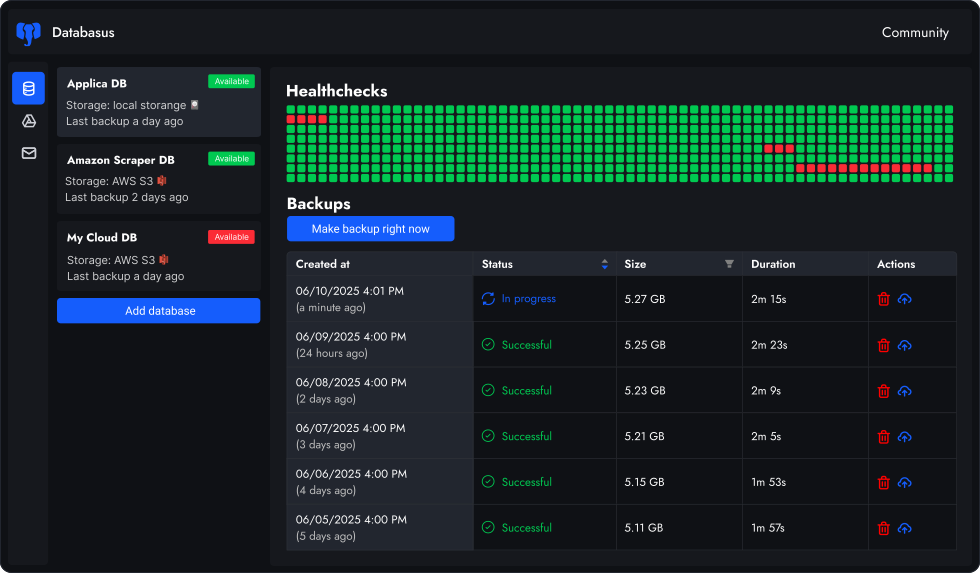
Databasus is an Apache 2.0 licensed, self-hosted backup tool that uses mysqldump under the hood to create consistent MySQL backups. It wraps mysqldump with a modern web interface, automated scheduling, cloud storage integration (S3, Google Drive, Dropbox), real-time notifications (Slack, Discord, Telegram) and AES-256-GCM encryption — eliminating the need for custom shell scripts and cron jobs.
2
Is Databasus a mysqldump alternative or replacement?
Databasus extends mysqldump rather than replacing it. Under the hood, it executes mysqldump with optimized parameters (--single-transaction, --routines, --triggers, --events) then handles compression, encryption and upload to your configured storage. You get all mysqldump reliability plus scheduling, cloud storage, notifications and team collaboration features through a web UI.
3
Which MySQL versions does Databasus support?
Databasus supports MySQL 5.7, 8.0, 8.4 and 9. For MySQL 8.0 and newer, Databasus uses zstd network compression for faster transfers over slow connections. For MySQL 5.7, legacy compression is used automatically. All versions get the same features: scheduling, encryption, cloud storage and notifications.
4
Which MariaDB versions does Databasus support?
Databasus supports MariaDB 10, 11 and 12. For MariaDB backups, Databasus uses the native mariadb-dump tool instead of mysqldump, ensuring full compatibility with MariaDB-specific features and optimizations. The same web UI, scheduling, storage and notification features work for both MySQL and MariaDB.
5
Can I backup MySQL databases hosted on AWS RDS, Google Cloud SQL or Azure?
Yes, Databasus works seamlessly with cloud-hosted MySQL databases including AWS RDS for MySQL, Google Cloud SQL, Azure Database for MySQL and PlanetScale. Since Databasus uses logical backups via mysqldump, it only requires standard MySQL connection credentials (host, port, username, password) — no special cloud permissions, IAM roles or filesystem access needed.
6
How does MySQL backup scheduling work in Databasus?
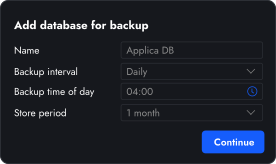
You can schedule MySQL backups at hourly, daily, weekly or monthly intervals, or use cron expressions for precise control. Choose specific times (like 3 AM when traffic is low) and days. Databasus handles the rest: connecting to MySQL, running mysqldump, compressing the output, encrypting it and uploading to your storage destination.
7
Where are my MySQL backups stored?
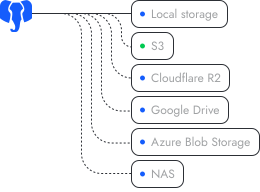
You choose where to store MySQL backup files: locally on your server, in S3-compatible storage (AWS S3, MinIO, Backblaze B2), Google Drive, Cloudflare R2, Dropbox, NAS via SFTP, or any destination supported by rclone. Each database can have its own storage destination. Your backup files stay under your control.
8
How does Databasus secure MySQL database credentials and backups?
Databasus implements multi-layer security:
1. Credential encryption: All MySQL passwords, tokens and connection strings are encrypted with AES-256-GCM before storage. The encryption key is stored separately from the database.
2. Backup encryption: Each backup file is encrypted with a unique key derived from master key, backup ID and random salt.
3. Secure password handling: MySQL passwords are passed via temporary .my.cnf files with 0600 permissions, never exposed in command line arguments or logs.
9
Can I restore MySQL backups to a different server or cloud provider?
Yes, since Databasus creates standard mysqldump logical backups, you can restore them to any MySQL server — different version, different cloud provider or local development machine. Download the backup from Databasus (automatically decrypted), then use mysql command to restore. Databasus shows the exact restore command for each backup.
10
Does Databasus support backing up MySQL replication slaves?
Yes, you can backup MySQL replica (slave) servers. Databasus uses --single-transaction which creates a consistent snapshot without stopping replication. This is useful for offloading backup load from your primary server. Just point Databasus to your replica's connection details.
11
How is Databasus different from MySQL Enterprise Backup or Percona XtraBackup?
MySQL Enterprise Backup and Percona XtraBackup create physical (binary) backups that require direct filesystem access to the MySQL data directory. They're faster for very large databases but:
• Cannot backup cloud-hosted MySQL (RDS, Cloud SQL, Azure)
• Require installation on the database server itself
• More complex setup and restore process
Databasus uses logical backups (mysqldump) which work with any MySQL server you can connect to, including all cloud providers. For most databases under 100GB, logical backups are practical and much simpler to manage.
12
Can I backup both MySQL and PostgreSQL databases with the same Databasus instance?
Yes, Databasus supports MySQL, MariaDB, PostgreSQL and MongoDB in a single installation. You can manage backups for all your databases from one web interface, with different schedules, storage destinations and notification channels for each. This is useful for teams managing diverse database infrastructure.