1
What is Databasus and why should I use it instead of hand-rolled scripts?
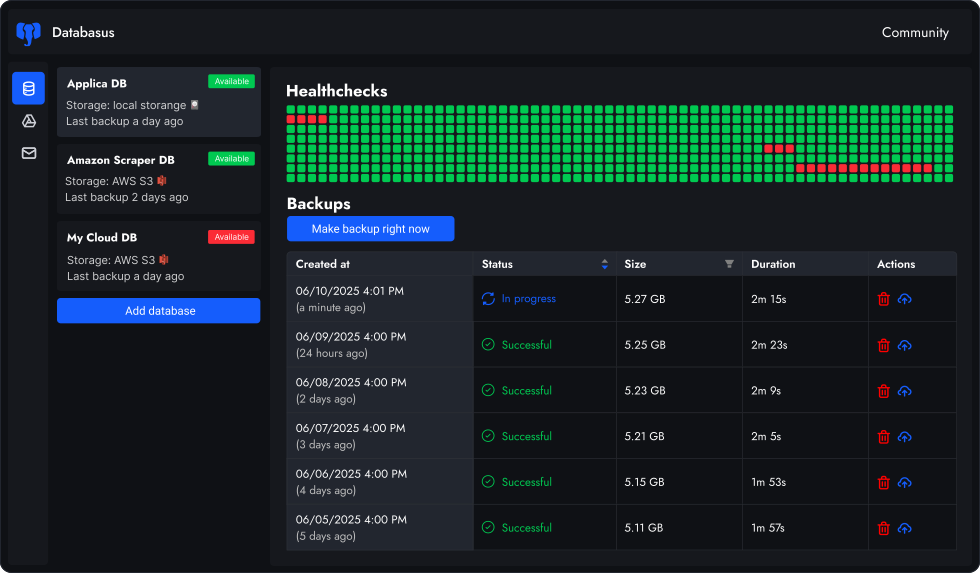
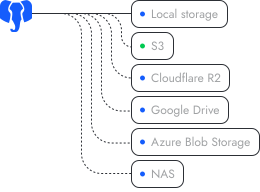
Databasus is an Apache 2.0 licensed, self-hosted service backing up databases. It differs from shell scripts in that it has a frontend for scheduling tasks, compressing and storing archives on multiple targets (local disk, S3, Google Drive, NAS, Dropbox, SFTP, rclone, etc.), configuring retention policies to automatically prune old backups and notifying your team when tasks finish or fail — all without hand-rolled code
2
How do I install Databasus in the quickest manner?
Databasus supports multiple installation methods: automated script, Docker, Docker Compose and Kubernetes with Helm. The quickest route is to run the one-line cURL installer, which fetches the current Docker image, creates a docker-compose.yml and boots up the service so it will automatically restart on reboots. For Kubernetes environments, use the official Helm chart for production-ready deployments. Overall time is usually less than two minutes on a typical VPS.
3
What backup schedules can I schedule?
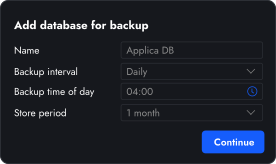
You can choose from hourly, daily, weekly, monthly or cron cycles and even choose an exact run time (such as 04:00 when it's late night). Weekly schedules enable you to choose a particular weekday, while monthly schedules enable you to choose a particular calendar day, giving you very fine-grained control of maintenance windows. You can also configure retention policies to automatically clean up old backups — by time period, count, size limit or GFS (Grandfather-Father-Son), the latter being popular for enterprise compliance.
4
How does Databasus ensure security?
Databasus enforces security on three levels: (1) Sensitive data encryption — all passwords, tokens and credentials are encrypted with AES-256-GCM and stored separately from the database; (2) Backup encryption — each backup file is encrypted with a unique key derived from a master key, backup ID and random salt, making backups useless without your encryption key even if someone gains storage access; (3) Read-only database access — Databasus only requires SELECT permissions and performs comprehensive checks to ensure no write privileges exist, preventing data corruption even if the tool is compromised.
5
How do I set up and run my first backup job in Databasus?
To start your very first Databasus backup, simply log in to the dashboard, click on New Backup, select an interval — hourly, daily, weekly, monthly or cron. Then specify the exact run time (e.g., 02:30 for off-peak hours).
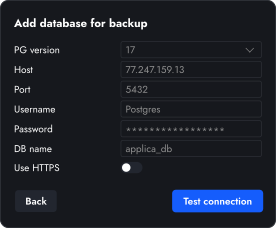
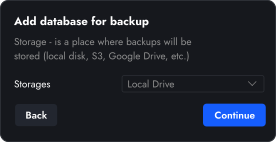
Then input your PostgreSQL host, port number, database name, credentials and SSL preference. Choose where the archive should be sent (local path, S3 bucket, Google Drive folder, Dropbox, etc.).
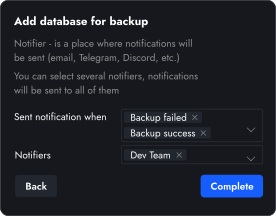
If you need, add notification channels such as email, Slack, Telegram or a webhook and click Save. Databasus instantly validates the info, starts the schedule, runs the initial job and sends live status. So you may restore with one touch when the backup is complete.
6
How does PostgreSQL monitoring work?
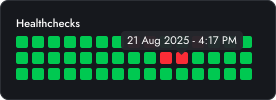
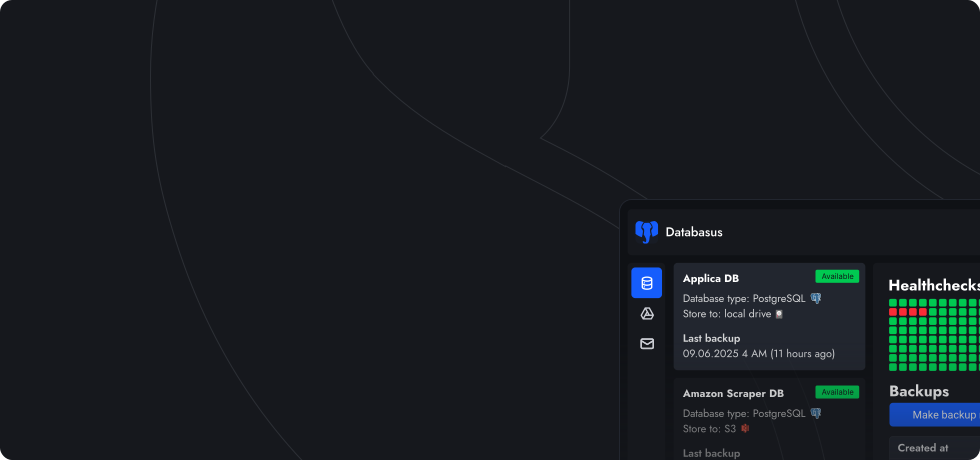
Databasus monitors your databases instantly. This optional feature helps avoid extra costs for edge DBs. Health checks are performed once a specific period (minute, 5 minutes, etc.). To enable the feature, choose your DB and select 'enable' monitoring. Then configure health checks period and number of failed attempts to consider the DB as unavailable.
7
Who is Databasus suitable for?
Databasus is designed for single developers, DevOps teams, organizations, startups, system administrators and IT departments who need reliable databases backups. Whether you're managing personal projects or production databases, Databasus provides enterprise-grade backup capabilities with a simple, intuitive interface.
8
How is Databasus different from PgBackRest, Barman or pg_dump? Where can I read comparisons?
Unlike other tools, Databasus provides a way to manage many databases for teams in a modern, user-friendly web interface (instead of complex configuration files and command-line tools). While PgBackRest and Barman just backups single database, require extensive configuration and command-line expertise — Databasus offers way to setup full backup management for many databases. Unlike raw pg_dump scripts, it includes built-in scheduling, compression, multiple storage destinations, health monitoring and real-time notifications — all managed through a simple web UI.
We have detailed comparison pages for popular backup tools:
Databasus vs pg_dump,
Databasus vs pgBackRest,
Databasus vs Barman,
Databasus vs WAL-G and
Databasus vs pgBackWeb. Each comparison explains the key differences, pros and cons, and helps you choose the right tool for your needs.
9
Can I use Databasus as an individual and as a team?
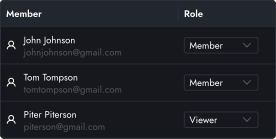
Yes, Databasus works perfectly for both individual developers and teams. For individuals, you can manage all your databases with a simple, secure interface. For teams, Databasus offers access management features that let you create multiple users with different permission levels (viewer, editor, admin).
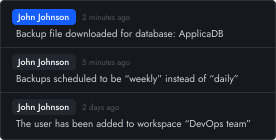
You can control who can view or manage specific databases, making it ideal for DevOps teams and development organizations. Additionally, audit logs track all system activities, showing who accessed what and when, which is essential for security compliance and team accountability.
10
Is Databasus an alternative to pg_dump?
Yes, Databasus is a modern alternative to pg_dump. Under the hood, Databasus extends pg_dump features, adds user-friendly web interface, automated scheduling, multiple storage destinations, real-time notifications, health monitoring and backup encryption. Think of Databasus as pg_dump with superpowers — you get all the reliability of pg_dump plus optimizations and enterprise features without writing shell scripts.
11
Which databases does Databasus support?
Databasus supports PostgreSQL, MySQL, MariaDB and MongoDB. However, Databasus was originally created specifically for PostgreSQL and maintains its primary focus on it — providing 100% excellent support and maximum efficiency for PostgreSQL backups. While MySQL, MariaDB and MongoDB are fully supported, PostgreSQL remains the core priority with the most optimized features and ongoing development.
12
Why doesn't Databasus support PITR (Point-in-Time Recovery)?
Databasus intentionally focuses on logical backups rather than PITR for several practical reasons:
- Complex setup requirements — PITR tools typically need to be installed on the same server as your database, requiring direct filesystem access and careful configuration. You can backup only single database (Databasus allows many)
- Restoration limitations — incremental backups cannot be restored without direct access to the database storage drive
- Cloud incompatibility — managed cloud databases (AWS RDS, Google Cloud SQL, Azure, Supabase) don't allow restoring external PITR backups, making them useless for cloud-hosted PostgreSQL
- Built-in cloud PITR — cloud providers already offer native PITR capabilities, and even they typically default to hourly or daily granularity
- Practical sufficiency — for 99% of projects, hourly or daily logical backups provide adequate recovery points without the operational complexity of WAL archiving
So instead of second-by-second restoration complexity, Databasus prioritizes an intuitive UX for individuals and teams, making it the most reliable tool for managing multiple databases and day to day use
13
Why was Postgresus renamed to Databasus?
Databasus has been developed since 2023. It was internal tool to backup production and home projects databases. In start of 2025 it was released as open source project on GitHub. By the end of 2025 it became popular and the time for renaming has come in December 2025.
The renaming from Postgresus to Databasus was an important step for the project's growth. There are several reasons:
- Project evolution — Postgresus is no longer a small tool that just adds UI for pg_dump. It became a reliable backup management system for individual users, DevOps, DBAs, teams and enterprises. Tens of thousands of users use it daily. The initial positioning is no longer suitable — it's not just a UI wrapper, it's a solid backup management system now
- Multiple databases support — while the primary focus remains PostgreSQL (with 100% support in the most efficient way), the project now supports MySQL, MariaDB and MongoDB. More databases will be supported in the future
- Trademark compliance — "postgres" is a trademark of PostgreSQL Inc. and cannot be used in project names. For legal safety and compliance, renaming was necessary
If you're currently using Postgresus, you can continue using it or migrate to Databasus following the installation steps. Note that simply renaming the image isn't enough, as they use different data folders and internal database naming.
14
How is AI used in Databasus development?
There have been questions about AI usage in project development. As the project focuses on security, reliability and production usage, we want to be transparent about how AI is used in the development process.
AI is used as a helper for code quality verification, documentation improvement and assistance during development. AI is NOT used for writing entire code or code without tests. The project has solid test coverage, CI/CD automation and verification by experienced developers.
For detailed information about AI usage, development process and security measures, please visit our
dedicated FAQ page.
15
How can I join the Databasus community?
You can join our large community of developers, DBAs and DevOps engineers at
t.me/databasus_community. The community is a great place to ask questions, share experiences, get help with configuration and stay updated with the latest features and releases.
16
Can I restore backups without Databasus?
Yes! You can restore backups directly from storage (like S3, Google Drive, etc.) without Databasus itself. There is no vendor lock-in, even on this open source tool. With just your
secret.key file, you can decrypt and restore any backup manually using standard database tools.
This means if your Databasus instance is unavailable or you lose access to it, your backups remain fully recoverable. See our
manual recovery guide for detailed step-by-step instructions on how to decrypt and restore backups without Databasus.